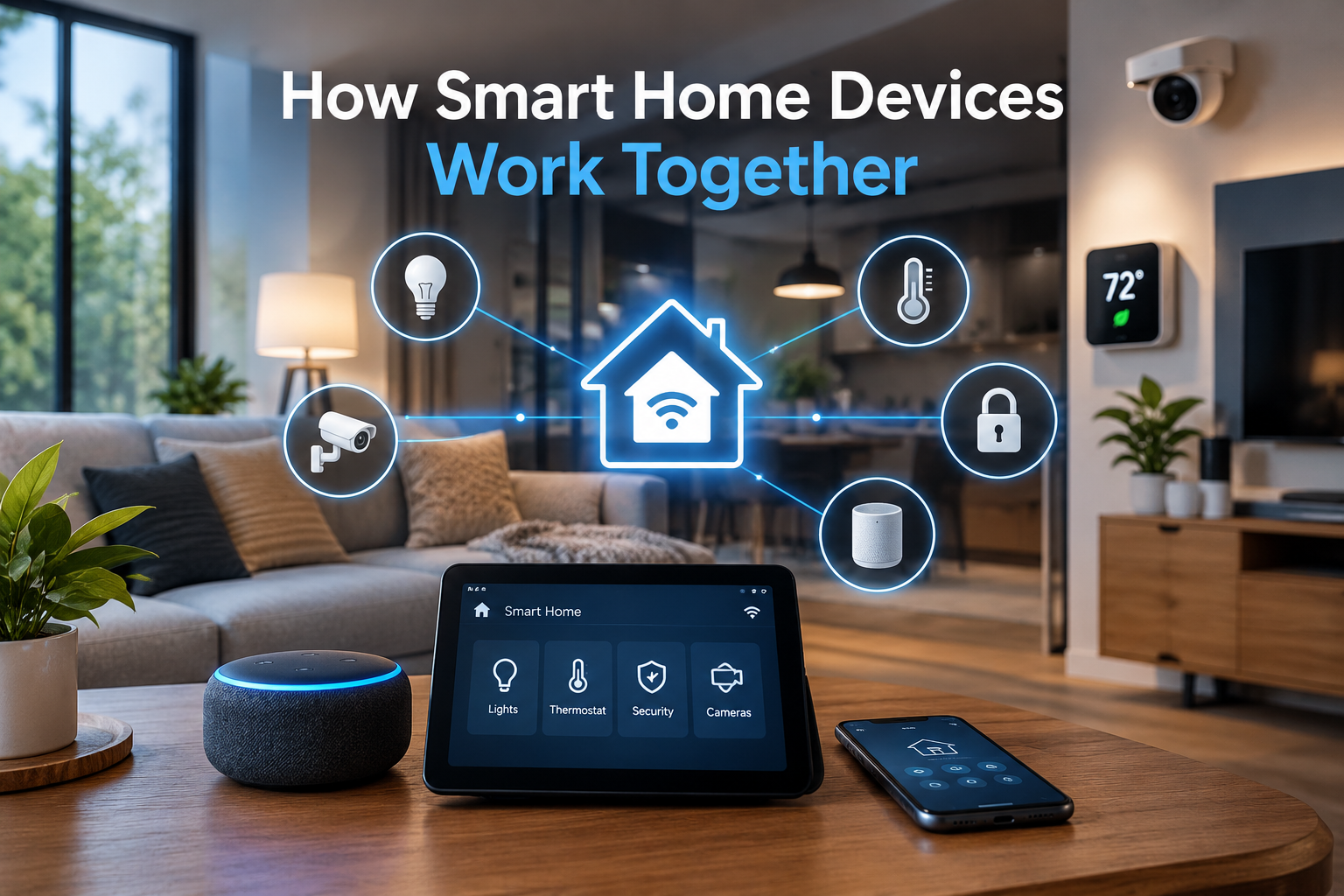
Smart home devices are changing the way people manage everyday tasks. From adjusting room temperature to controlling lights with voice commands, these technologies make homes more convenient, comfortable, and energy-efficient. However, the real benefit comes when different devices work together instead of operating independently.
Understanding how smart home devices work together helps explain how lighting systems, security cameras, thermostats, smart speakers, and other connected products can communicate and respond to daily routines. Through wireless connections, compatible platforms, and automation rules, these devices can create a connected home that requires less manual control.
What Are Smart Home Devices?
Smart home devices are electronic products that connect to a home network and allow users to monitor, control, or automate household functions. Many devices communicate through Wi-Fi, Bluetooth, Zigbee, Thread, or other wireless technologies.
Common examples include smart bulbs, connected thermostats, video doorbells, motion sensors, smart locks, and voice assistants. Some devices can be controlled through a mobile app, while others respond automatically to specific conditions.
For example, a smart thermostat can adjust the temperature according to a schedule, while a motion sensor can activate lights when someone enters a room. When these products share information through a compatible system, they can coordinate their actions.
How Smart Home Devices Communicate With Each Other
Communication is the foundation of a connected home. Devices need a reliable way to exchange information before they can respond to commands or coordinate activities.
Several technologies make this communication possible.
Wi-Fi Connections
Wi-Fi allows smart home devices to connect to a home router and communicate with compatible apps, services, and other devices. Smart cameras, televisions, speakers, and many appliances use Wi-Fi because it supports internet access and transfers data efficiently.
For instance, a connected security camera can send a notification to a smartphone when it detects movement. Depending on the system, it may also trigger a smart light or activate a recording routine.
However, too many connected products can place additional demands on a home network. A reliable router and suitable network coverage help maintain consistent performance.
Bluetooth Technology
Bluetooth is commonly used for short-range communication and initial device setup. It allows compatible products to connect without always requiring a direct internet connection.
Some smart locks, sensors, speakers, and lighting products use Bluetooth to communicate with nearby devices. A smartphone may also use Bluetooth to configure a new device before it joins another network.
Its main limitation is range. Walls and physical obstacles can affect the connection, so Bluetooth alone may not be suitable for coordinating devices throughout a large house.
Zigbee and Thread Networks
Zigbee and Thread are wireless networking technologies designed for connected devices, particularly those that need to use relatively little power.
They can support communication between compatible sensors, switches, bulbs, and other smart home products. These technologies can also support mesh networking, in which certain devices help pass messages across the network.
Thread can support communication between compatible devices using Internet Protocol, while Zigbee uses its own networking system. Both can reduce reliance on a direct Wi-Fi connection for every individual device.
A compatible hub, border router, or other network component may be required, depending on the technology and product.
The Role of a Smart Home Hub
A smart home hub helps coordinate devices that belong to a connected home system. It can act as a central point for managing products, running automation routines, and connecting devices that use different communication methods.
Some hubs connect directly to a home router, while others support technologies such as Zigbee, Thread, or both.
For example, a hub may receive information from a motion sensor and use an automation rule to switch on compatible lights. The homeowner does not need to open a separate app and activate each bulb manually.
Not every smart home needs a dedicated hub. Some products communicate through their own apps or a shared platform. The right setup depends on the devices, their communication standards, and the level of automation required.
How Smart Home Platforms Connect Different Devices
Smart home platforms bring compatible products together under a shared control system. They allow users to manage several devices through one app, voice assistant, or automation interface.
Platforms such as Apple Home, Google Home, and Amazon Alexa support different combinations of products and features. Compatibility depends on the individual device, the platform, and the available integrations.
Shared Control Through One App
A compatible smart home app can display lights, thermostats, cameras, locks, and other products in one place. This makes it easier to check device status and control multiple functions without switching between separate applications.
For instance, a household member could turn off several lights, adjust the thermostat, and check whether the front door is locked through a single interface.
Voice Assistant Integration
Voice assistants allow compatible smart home devices to respond to spoken commands. A smart speaker or another supported device can process a request and send the appropriate instruction through the connected platform.
A command to dim the living room lights may activate several compatible bulbs at once. Another command could adjust the thermostat or turn off selected appliances.
Voice control is convenient, but its performance depends on device compatibility, network quality, language support, and the settings of the chosen assistant.
How Smart Home Automation Works
Automation allows smart home devices to perform actions automatically when certain conditions are met. Instead of requiring repeated manual commands, a connected system follows predefined rules.
Most automations use triggers, conditions, and actions.
- Triggers start an automation, such as a motion sensor detecting movement.
- Conditions determine whether the automation should proceed, such as whether it is nighttime.
- Actions describe what happens next, such as turning on a light.
For example, a hallway light could switch on when a motion sensor detects movement after sunset. During daylight hours, the same sensor might not activate the light because there is already enough natural illumination.
This coordination makes a smart home more responsive to everyday activities.
Smart Lighting and Motion Sensors
Smart lighting can work with motion sensors, door sensors, schedules, and other compatible devices.
When someone enters a dark room, the sensor can send a signal that triggers the lighting system. The lights may turn off automatically after the room has been empty for a set period.
This arrangement is useful in hallways, bathrooms, garages, and other areas where manually operating a switch may be inconvenient.
Smart Thermostats and Temperature Sensors
A smart thermostat can work with compatible temperature sensors, occupancy information, and scheduling features to maintain a comfortable indoor environment.
For example, a temperature sensor in a frequently used room may help the system identify differences between rooms. Depending on the thermostat’s capabilities, the system can use that information to adjust heating or cooling.
Some setups can also reduce heating or cooling when the home is unoccupied. These functions may improve energy efficiency, although actual savings depend on the building, weather, equipment, and household habits.
Smart Security Systems
Security devices can coordinate to provide a more complete picture of activity around a property.
A door sensor may detect an unexpected opening, while a security camera records activity nearby. A compatible system could then send a phone notification, activate an alarm, or switch on outdoor lights.
These actions depend on the selected devices and automation settings. For reliable protection, security systems should also account for power interruptions, network outages, privacy settings, and emergency access requirements.
The Role of Matter in Smart Home Compatibility
One common challenge in smart homes is that products from different manufacturers do not always work together. A device may support one platform but lack the integration required by another.
Matter is a smart home connectivity standard designed to improve interoperability among compatible products. It helps supported devices communicate across participating ecosystems, reducing some of the compatibility problems that previously made connected homes difficult to manage.
Matter operates over supported network technologies, including Wi-Fi and Thread. A compatible controller may be needed to manage devices, and Thread products may require a Thread border router.
Matter does not make every smart home product universally compatible. Device features, manufacturer support, firmware, and platform capabilities can still affect how products work together. Checking compatibility before purchasing remains important.
How Smart Home Devices Work When the Internet Goes Down
A connected home does not always stop working when the internet connection fails. The result depends on how the devices and automation system are designed.
Some products can communicate locally over the home network or a supported mesh network. Local automations may continue working even when the internet is unavailable.
For example, a compatible motion sensor may still activate a smart bulb through a local hub. However, remote access, cloud-based voice assistants, online notifications, and some advanced features may become unavailable.
Other devices rely heavily on cloud services and may offer limited functionality during an outage.
Before choosing smart home products, households should check which features work locally and which require an internet connection. This distinction is particularly important for security equipment, smart locks, and essential household controls.
Benefits of Using Smart Home Devices Together
Connected devices can offer several practical advantages when they are configured to work as a coordinated system.
Greater Everyday Convenience
A single automation can manage several tasks at once. For example, a bedtime routine might switch off selected lights, lower the thermostat, and activate compatible security settings.
This reduces the need to operate each device separately.
Improved Energy Efficiency
Smart lighting, thermostats, plugs, and occupancy sensors can help limit unnecessary energy use. Lights may turn off in empty rooms, while heating and cooling schedules can respond to occupancy or temperature conditions.
These features can support more efficient energy management, although they do not guarantee lower bills in every household.
Better Home Security
Connected cameras, door sensors, smart locks, and lighting systems can share information and trigger coordinated responses.
A system might send an alert when a door opens unexpectedly and activate a nearby light. Proper configuration can help residents respond more quickly to relevant events.
More Personalized Comfort
Smart home routines can reflect household schedules and preferences. Lighting may become softer in the evening, the thermostat may follow a preferred temperature schedule, and selected appliances may operate at specific times.
The result is a home that adapts to regular activities without requiring constant attention.
Common Problems That Prevent Smart Home Devices From Working Together
Even compatible products can experience problems. Understanding the most common causes helps keep the system reliable.
Device Compatibility Issues
Not every smart device supports every platform or communication standard. Before buying a product, it is important to check its supported ecosystem, connectivity requirements, and automation features.
Weak Wi-Fi Coverage
Devices placed far from a router may lose connectivity or respond slowly. Improving router placement, adding suitable access points, or using a supported mesh system may help.
Outdated Software
Older firmware and apps can cause connection problems or prevent certain features from working correctly. Keeping devices updated can improve compatibility and address known security issues.
Conflicting Automation Rules
Two routines may issue different commands to the same device. For example, one automation might turn a light on while another turns it off at nearly the same time.
Reviewing triggers, conditions, schedules, and priorities can help prevent these conflicts.
Privacy and Security Concerns
Connected devices may collect information about occupancy, routines, voice commands, or activity around the home. Weak passwords and outdated software can also increase security risks.
Strong, unique passwords, multifactor authentication where available, regular updates, and careful permission settings can help protect a connected home.
How to Build a Smart Home Where Devices Work Together
A successful setup does not require every available smart device. Starting with a clear purpose makes it easier to select compatible products and build a system that meets household needs.
First, the homeowner should decide which tasks matter most, such as lighting control, energy management, security, or convenience.
Next, the chosen devices should be checked for compatibility with the preferred smart home platform. Support for Matter, Thread, Zigbee, or Wi-Fi should be considered according to the requirements of the system.
The next step is to connect the devices, update their software, and test basic controls. Simple automations can then be created, such as turning on a light when a door opens or adjusting the thermostat according to a schedule.
Finally, the system should be reviewed periodically. Removing unused devices, correcting conflicting routines, and checking security settings can help maintain reliable performance as the home grows.
Conclusion
Smart home devices work together by communicating through wireless networks, compatible platforms, hubs, and automation rules. These connections allow products such as lights, thermostats, motion sensors, security cameras, and smart locks to respond to shared information instead of operating as isolated tools.
When the devices are compatible and configured properly, a connected home can offer greater convenience, improved energy management, and more coordinated security. The most effective setup starts with a few useful products, a reliable network, and carefully planned automations.
As smart home standards continue to develop, interoperability is becoming easier to achieve. Even so, compatibility checks, software updates, privacy protections, and dependable manual controls remain important parts of a well-designed smart home.
FAQs
1. How do smart home devices communicate with each other?
They use technologies such as Wi-Fi, Bluetooth, Zigbee, and Thread, along with compatible platforms or hubs, to exchange information and follow commands.
2. Do smart home devices need a hub?
Not always. Some devices connect directly to Wi-Fi or a smart home platform, while others need a compatible hub or controller for certain features.
3. Can smart home devices from different brands work together?
Yes, when the products support a shared platform, compatible integrations, or standards such as Matter. Compatibility should be checked before purchasing.
4. Do smart home devices work without the internet?
Some can continue operating through local networks and automations. Cloud-dependent features, remote access, and certain voice commands may stop working during an internet outage.
5. Can connected smart home devices save energy?
They can help reduce unnecessary electricity use through automated lighting, thermostat schedules, and occupancy-based controls. Actual savings depend on how the system is used.
Read Also: Shai Gilgeous Alexander House and His Luxury Lifestyle